
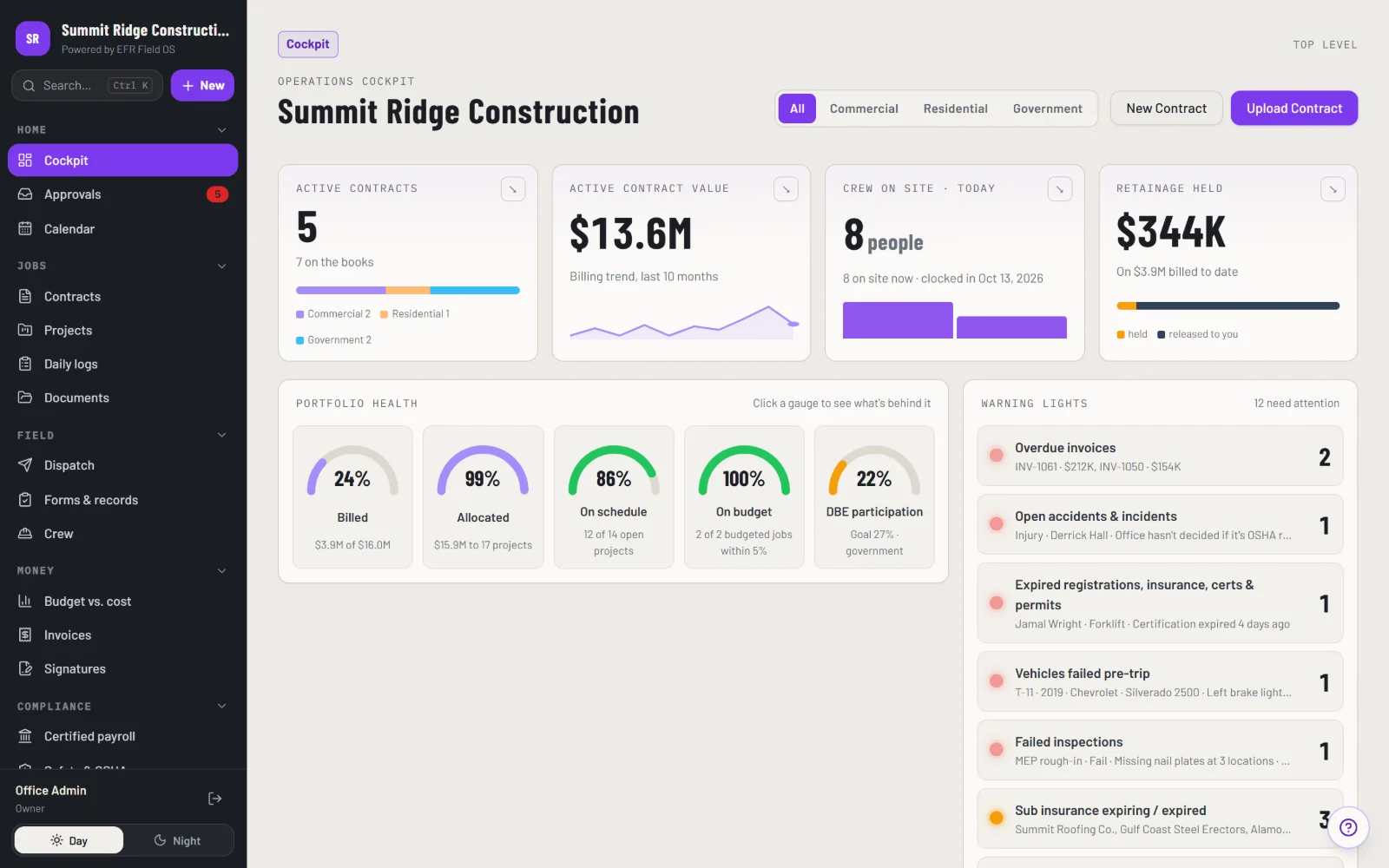
Everything a contractor runs on, in one system
Each module is set up around your cost codes, forms and approval rules.
Projects and contracts
Every job, contract and document in one place.
Crews and time
Clock-ins, crew assignments and hours by job and cost code.
Daily field logs and forms
Logs, inspections and photos from any phone, built for the field.
Budgets and costs
Budget versus actual by job, updated as work happens.
Approvals and change requests
Changes routed to the right person and signed on any device.
Owner portal and e-signatures
Project owners see progress, review documents and sign.
Certified payroll checks
Hours, rates and classifications checked against wage requirements before you submit.
Documents and photos
Plans, specs and jobsite photos organized by project.
Everyone sees exactly what their job needs
Owners and executives
Budgets, approvals and progress across every job.
Project managers
Schedules, crews, documents and daily logs.
Foremen and crews
Clock-in, daily logs and photos. Company finances stay with the office.
Project owners
A portal to follow progress and sign approvals.
EFR Field OS works alongside the accounting and payroll software you already use.
How we set up EFR Field OS
Discovery
We learn how your jobs, crews and approvals run today.
Tailor
We set up your cost codes, forms, roles and approval rules.
Move your data
Projects, crews and contacts come over from your current tools.
Train and go live
Office and field teams are trained, and we stay on hand after launch.
Three views every contractor uses every day
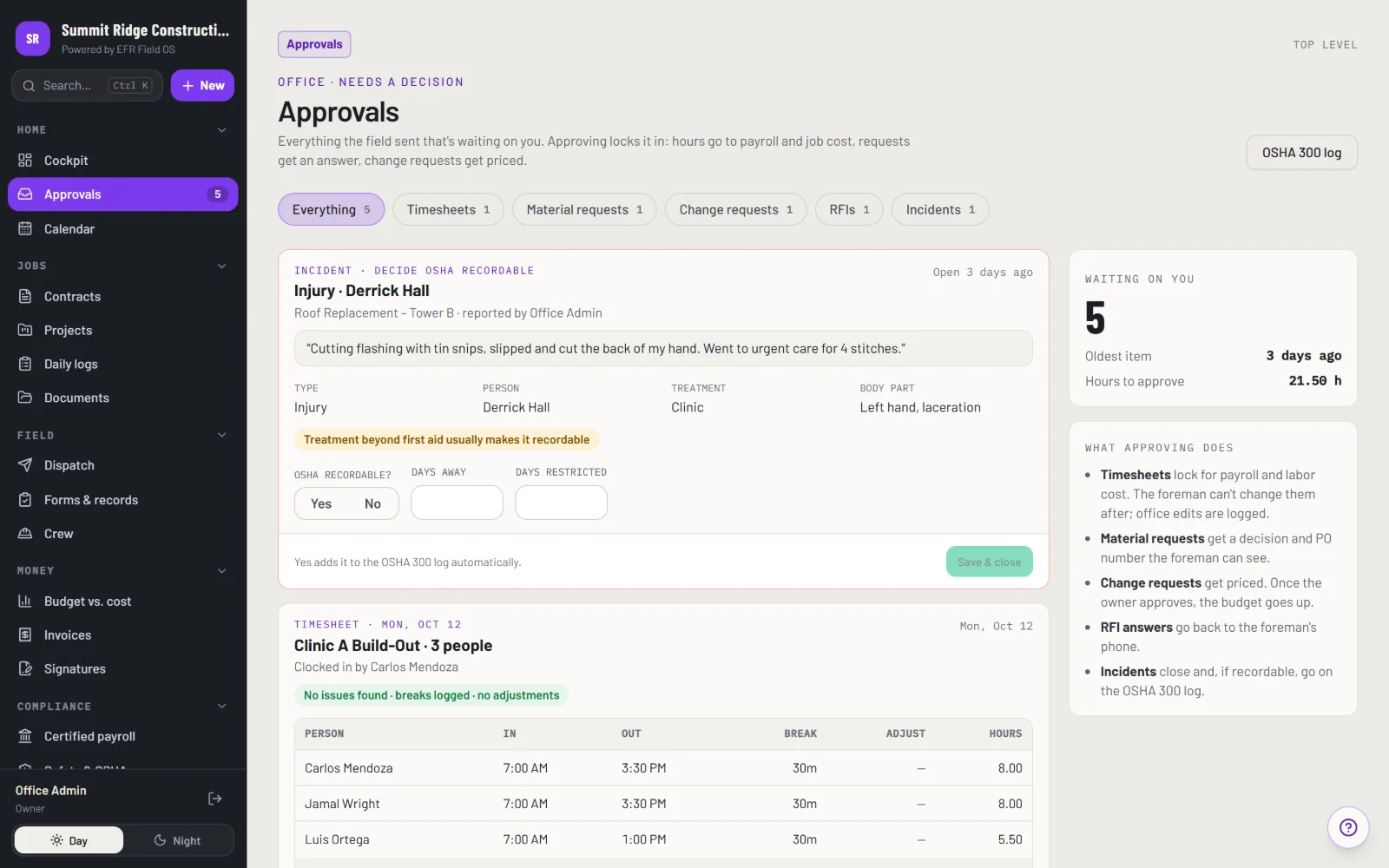
Approvals
Timesheets, materials, change orders and incidents in one queue.
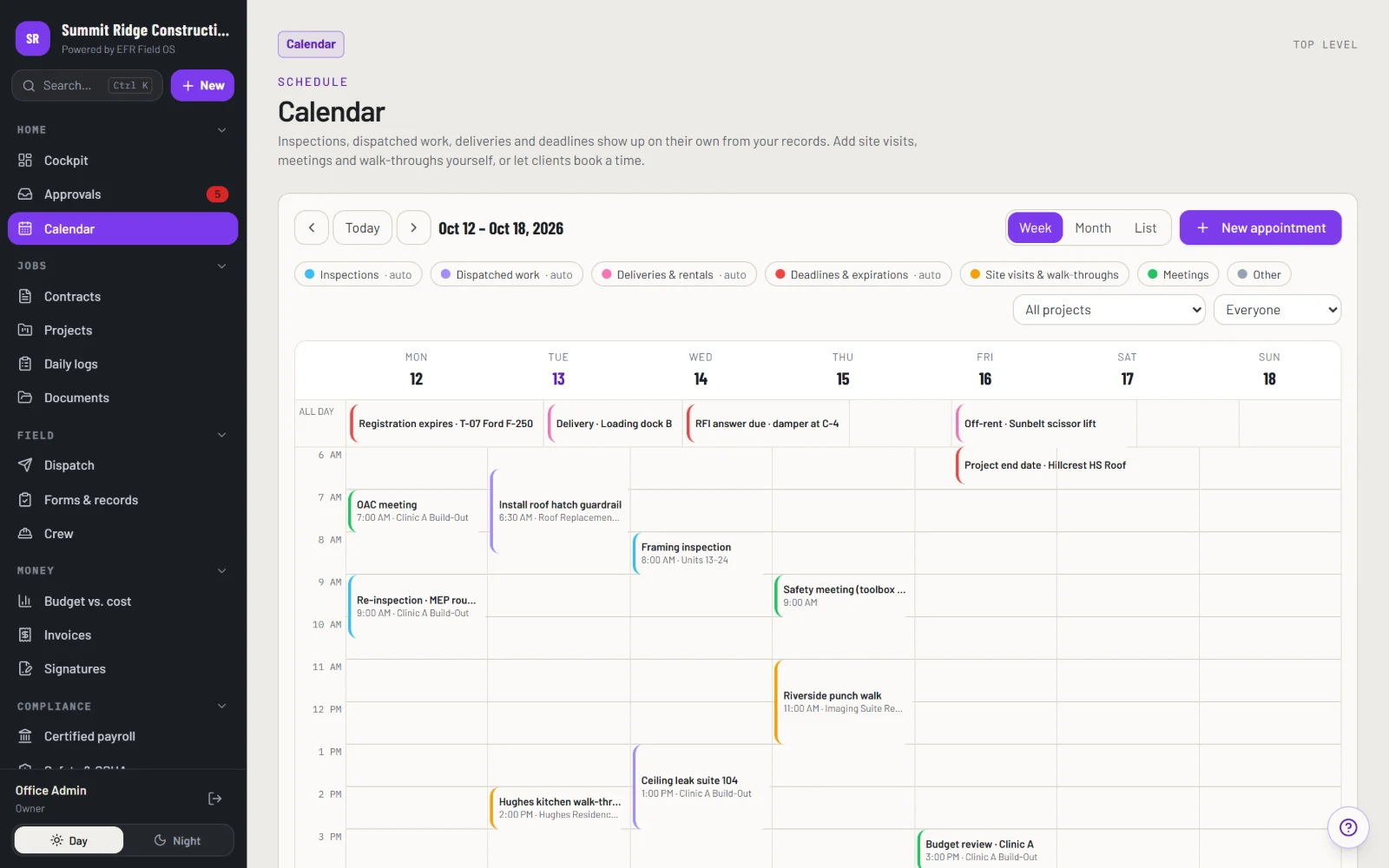
Calendar
Inspections, deliveries and deadlines fill in on their own.
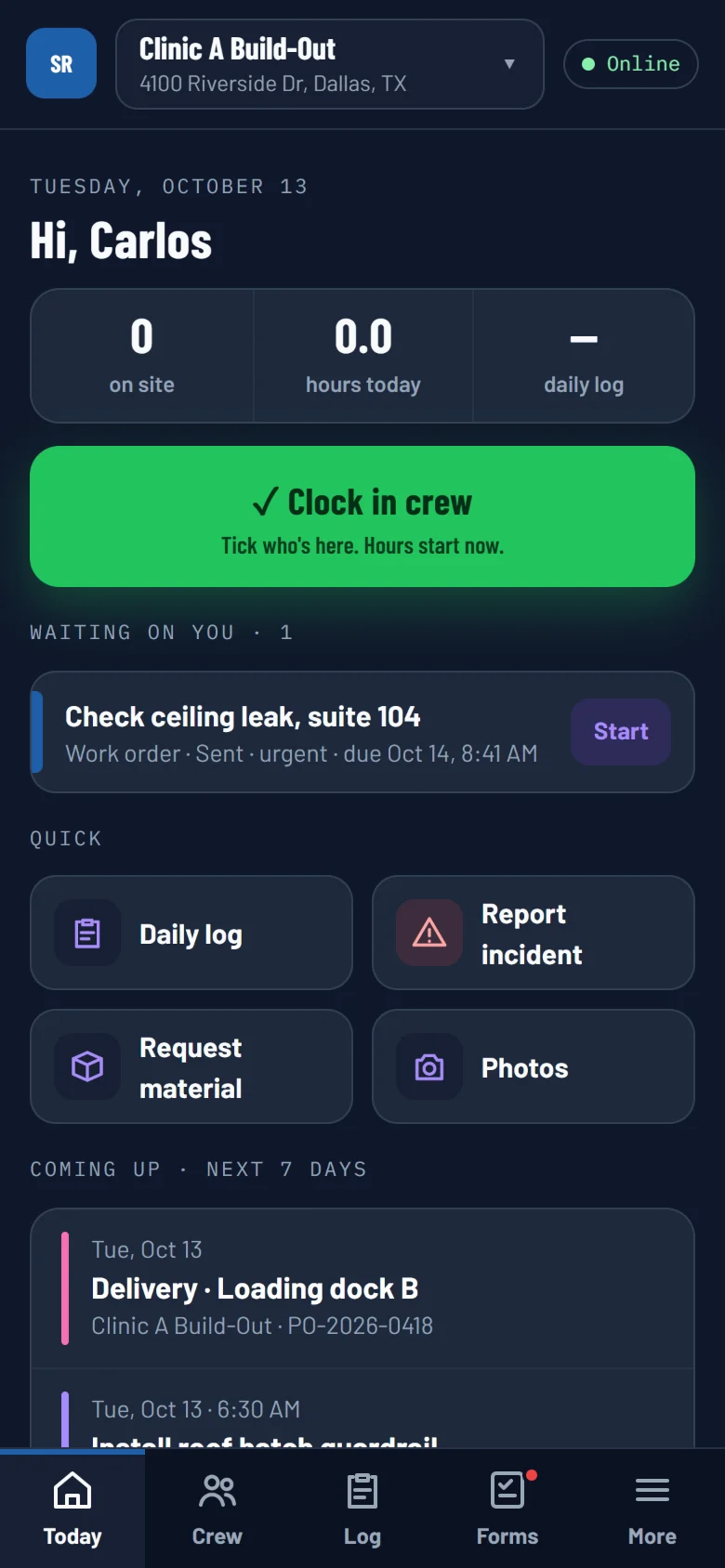
Foreman app
Clock in the crew, daily logs and photos, works with no signal.
Construction software FAQ
Does it replace our accounting software?
No. EFR Field OS works alongside the accounting and payroll software you already use. It tracks hours, rates and costs and hands clean numbers to your accounting system.
Can crews use it on their phones?
Yes. Field screens are built for phones and tablets, with big buttons and text that is easy to read outdoors.
Can project owners see progress?
Yes. Owners get their own portal to follow progress, review documents and sign approvals.
Do crews see company finances?
No. Crews only see what they need for their work. Money stays with the office.
Is it set up for our company?
Yes. We set it up around your cost codes, forms, approval rules and the way your company runs.
Do you work with contractors outside Texas?
Yes. We serve contractors nationwide.